Why I'm Going Back to tmux From zellij
- 5 minutes read - 854 wordsAfter twenty years of dedicated tmux use, I listened to my younger
colleague and tried zellij: a screen multiplexer written in the hot new
language Rust.
After 3 months of use, I am going back to tmux.
Pros:
- On-screen menus make key bindings far more discoverable than
tmux’smanpage ever did - Mouse support (but this is actually a con for me)
Cons:
- Its key-combo design clashes with the command-line tools I use daily (although it is fixable by drafting a custom config)
- Mouse support
- Sine qua non It doesn’t have a stack of named copy buffers
Pro: Discoverability
While tmux has a host of great features, I didn’t know about most of them
until I read Brian Hogan’s Pragmatic Bookshelf book,
tmux 3: Productive Mouse-Free Development
See, I had cut my teeth on the older screen multiplexer, GNU screen. So I
imported the limitations of screen into tmux. Hogan’s book got me to expand
my capabilities. Once I had moved out of tmux-as-screen’s initial
boundaries, the man page became tractable and I was able to do another
stepwise bump-up in capability.
All that said, the discoverability of screen and tmux was poor.
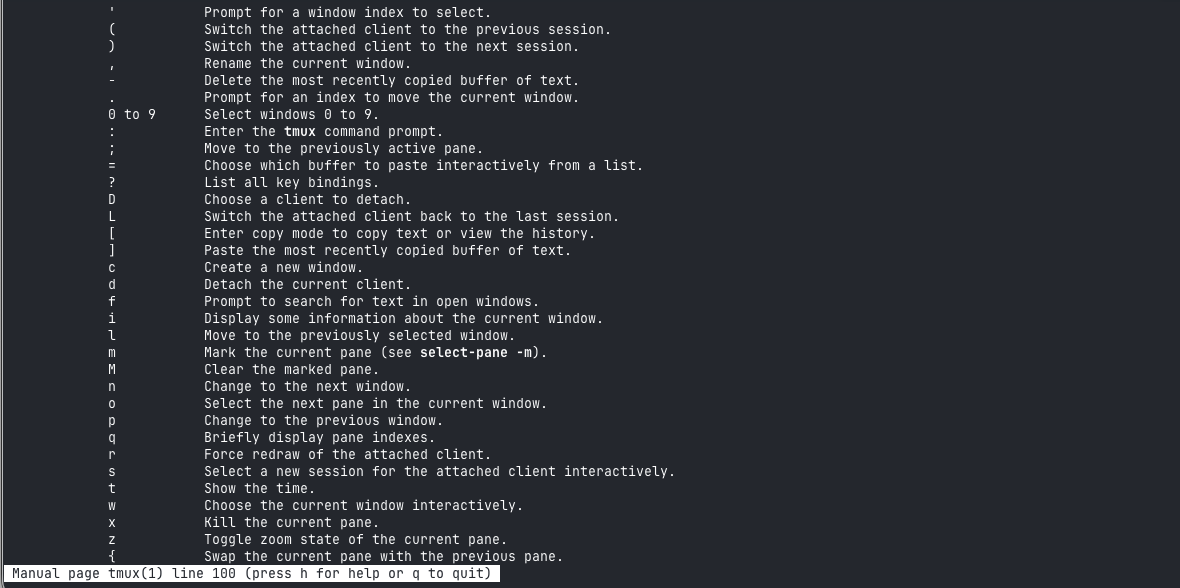
The tmux(1) man page: comprehensive, but no way to browse it interactively
zellij’s on-screen menus, in the style that WordStar or the Emacs-adjacent
word processors of the eighties made popular, make it trivial to find the key
combinations for screen, window, and pane management: hit a magic key combo,
and voila, splitting, spawning, and growing panes is right there on screen.
There’s even a “tip of the day” popup (really cool feature of zellij) that
will help you discover even more.
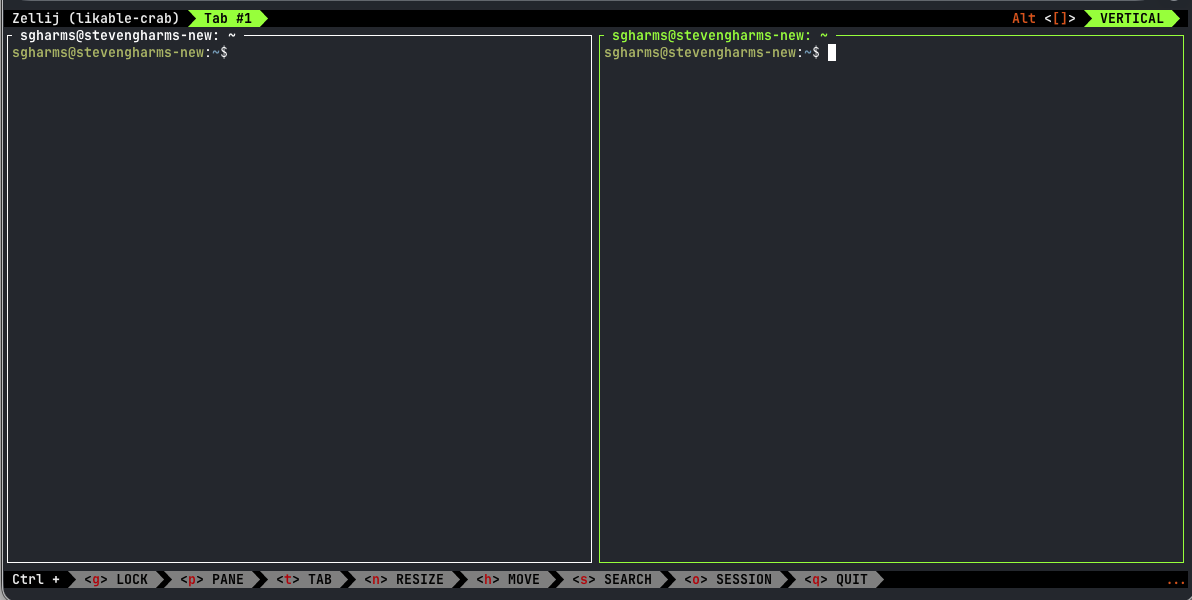
zellij’s on-screen menu, showing the available key bindings at a glance
Pro (for some): Mouse
With zellij you can use the mouse to move panes, highlight, and resize. But I
chose tmux because I explicitly don’t want that. I like tiling window
managers. I know I’m much more effective when I rarely use a mouse. Much of
zellij’s workflows are built around mouse (especially copy and paste). It’s
not what I want. The hint on this difference lies in Hogan’s book’s title:
“mouse-free productivity.” zellij, by design, saps that.
Ultimately in zellij I felt all the old pains of using a window manager with
mousey-mousey-click-drag-blocking my damn view-drag-clicky. And I don’t like
that. From the synopsis of Hogan’s book:
Your mouse is slowing you down. You’re juggling multiple terminal windows, development tools, or shell sessions, and the context switching is eating away at your productivity. Take control of your environment with tmux, a keyboard-driven terminal multiplexer that you can tailor to your workflow.
Con: Key-combo clashes
zellij’s discoverable hot-key design clashes with a number of command-line
applications I run. That’s part of why I liked tmux: I used a weird
keybinding that few (no?) applications use: Control-\ to enter the command
mode of tmux.
To its credit, zellij has a prefix mode that operates like tmux or GNU
screen — enter your customizable prefix key-combination and you’re
ready to manage the screen. But that isn’t the primary mode of operation, and
it takes real effort to bring it in line with two decades of muscle memory
acquired from tmux. Although it’s fair to note that an LLM does a pretty good
job at taking on the bulk of this conversion.
Once I got my prefix-based, tmux-bindings inspired config in place, zellij
was pretty useful (I did make it 3 months).
Con: No named copy buffers (sine qua non)
But the lack of a stack of copy buffers broke me. A mouse-free ability to curate multiple-paste “dumps” of text is a key part of my workflow.
As an example, for a post like this one:
git status— I scroll back, copy one line with the directory I want to add- Flip to window with
claude: copy the summary I want to put in the commit body git commit-v (Paste-1) → $EDITOR (nvimfor me) → 2jo → (tmuxPaste-2) → ZZ- (workflow shell script) (Paste-1)
Or if I forget which copy buffer has the content I can do an overview of all the clipboards and select from that menu. Amazing workflow.
zellij requires real gymnastics to do this. You either
- Use the mouse (ew)
- Use the scroll back + put scrollback in $EDITOR and use $EDITOR’s bindings to the system clipboard to copy content
Wow. That’s total regression. You lose the multi-buffer stack of clipboards and/or you have to take your hands off the keyboard. Not better.
Given that it seems like such a beam in the eye, I thought an open issue would point me to a decent workaround.
But it appears this issue has been raised quite a few times over the years. If
the maintainers don’t consider it a priority, if they think tmux’s copy-ring
workflow is a habit that’s been superseded, fine; I disagree, but it’s not my
project.
Conclusion
So I’m back in tmux. I’d never strayed far from a stock config, so there
wasn’t much to get back into muscle memory. And I found out that zellij’s
potential gains don’t outweigh the drawbacks.